
Backoffice
One backoffice for every venue you run
Brindola Backoffice is the system above your venues. Build the catalog once, keep one list of staff, share customers and loyalty, and read every venue's day side by side. Every terminal stays connected to it and keeps trading when the internet drops.
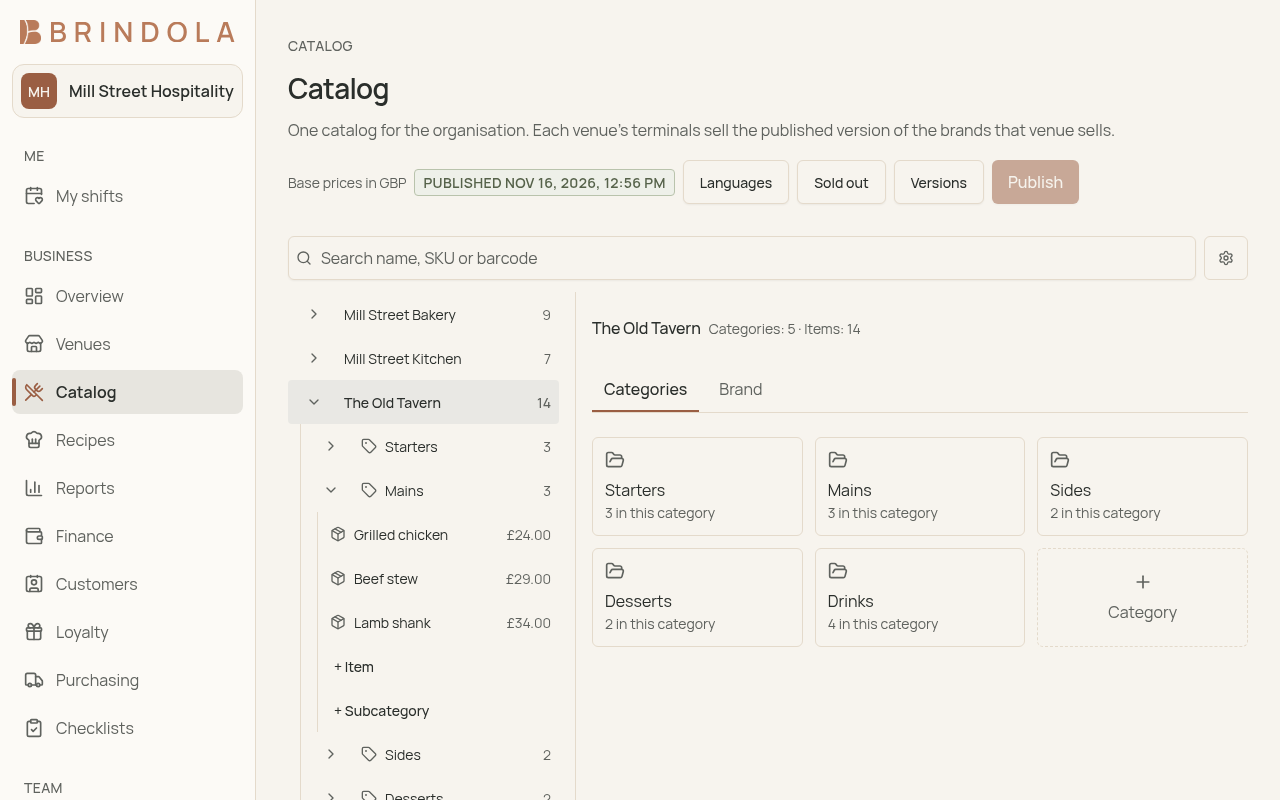
One catalog, published to every venue
Edit the catalog as a draft, then publish it. Every venue's terminals pick up the new version on their next sync, so nobody re-enters the same products at each venue.
Brands and prices per venue
Each venue sells the brands it carries, priced from its own price list, in its own currency where it needs one.
Start from the catalog you have
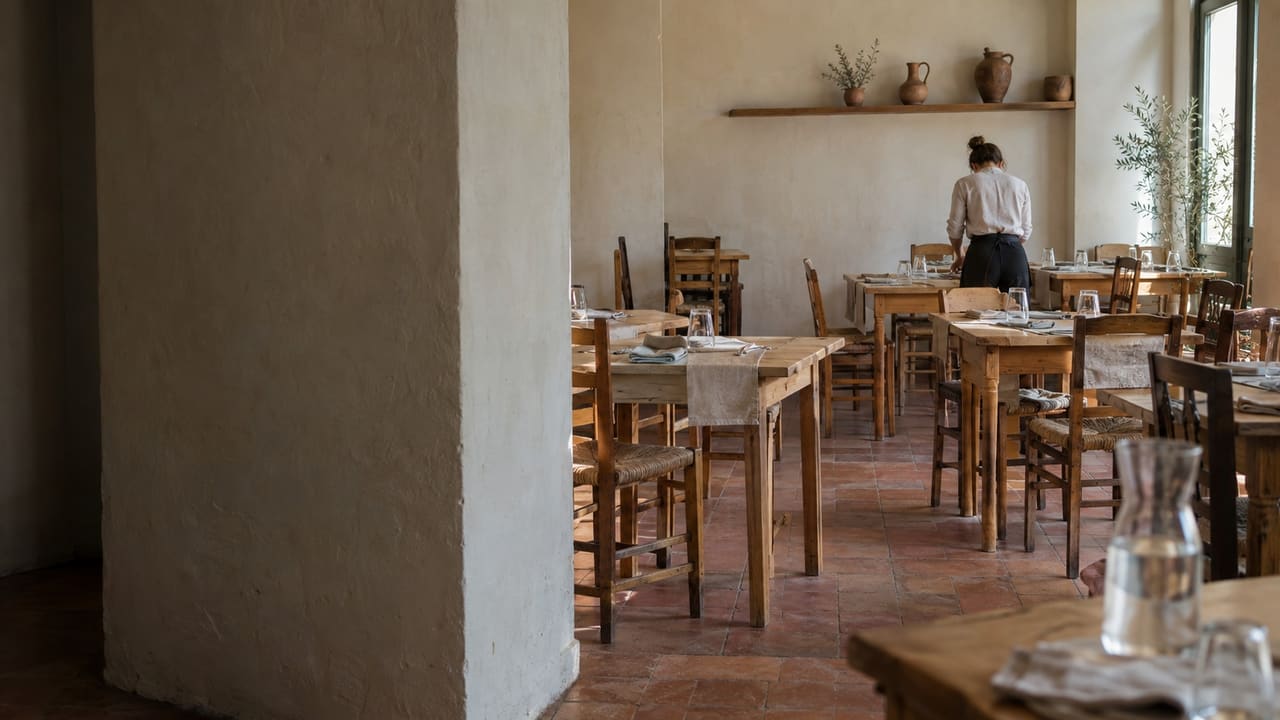
A venue that already built its catalog on the terminal sends it up once. It arrives as a draft for you to review and publish, and connecting removes nothing from the terminal.
Sold out everywhere at once
Mark a product sold out in the backoffice and every venue that sells it shows it on its next sync.
The same catalog on your website
Every published version is also a public catalog file a website can be built from, so the site and the terminals show the same products and prices.
Staff, rotas and the working day
One list of people for the whole group. The same list reaches every terminal as its staff, while each person's PIN stays on the terminal.
The HR file
Contact details, an emergency contact, date of birth, address, and start and end dates, kept with the person, readable only by those you allow, and erased on request.
Rotas and hours
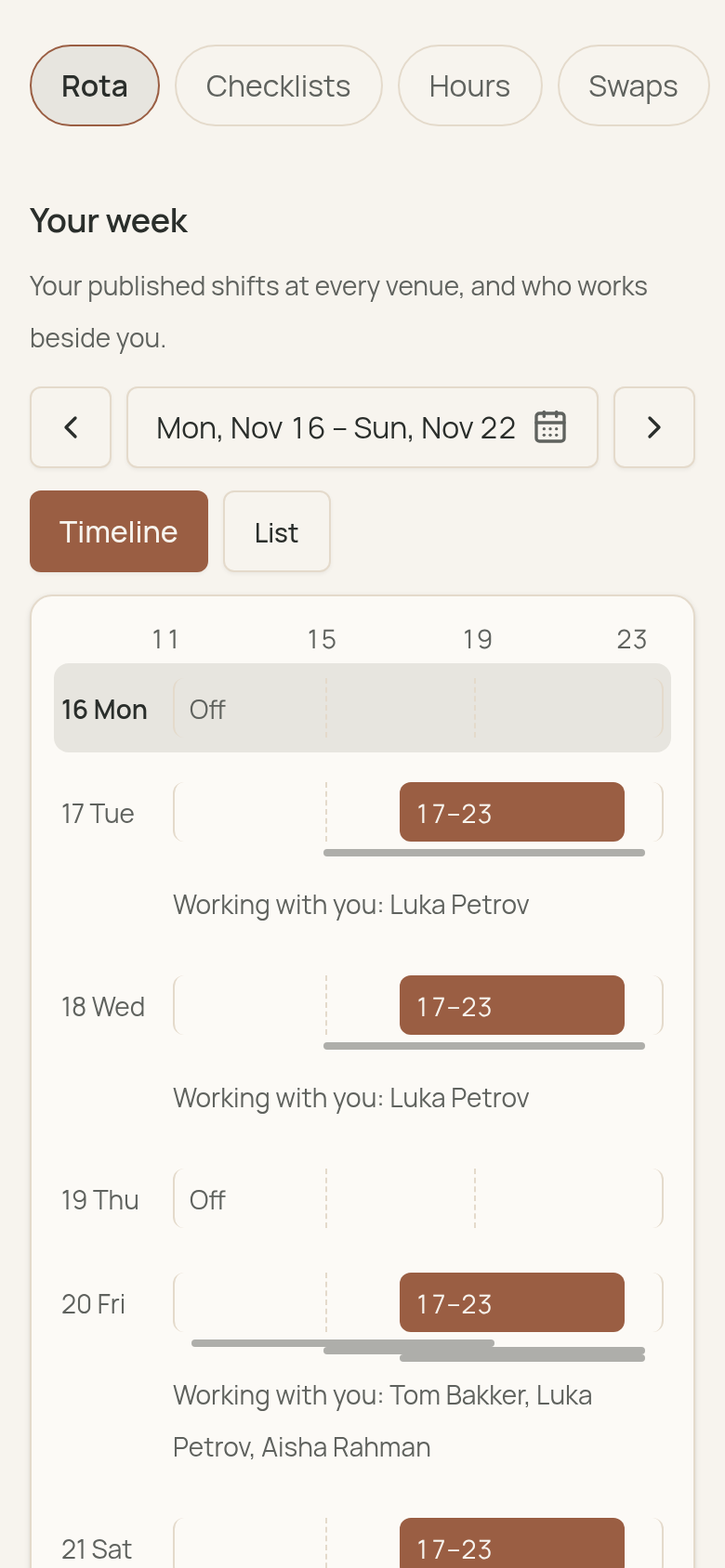
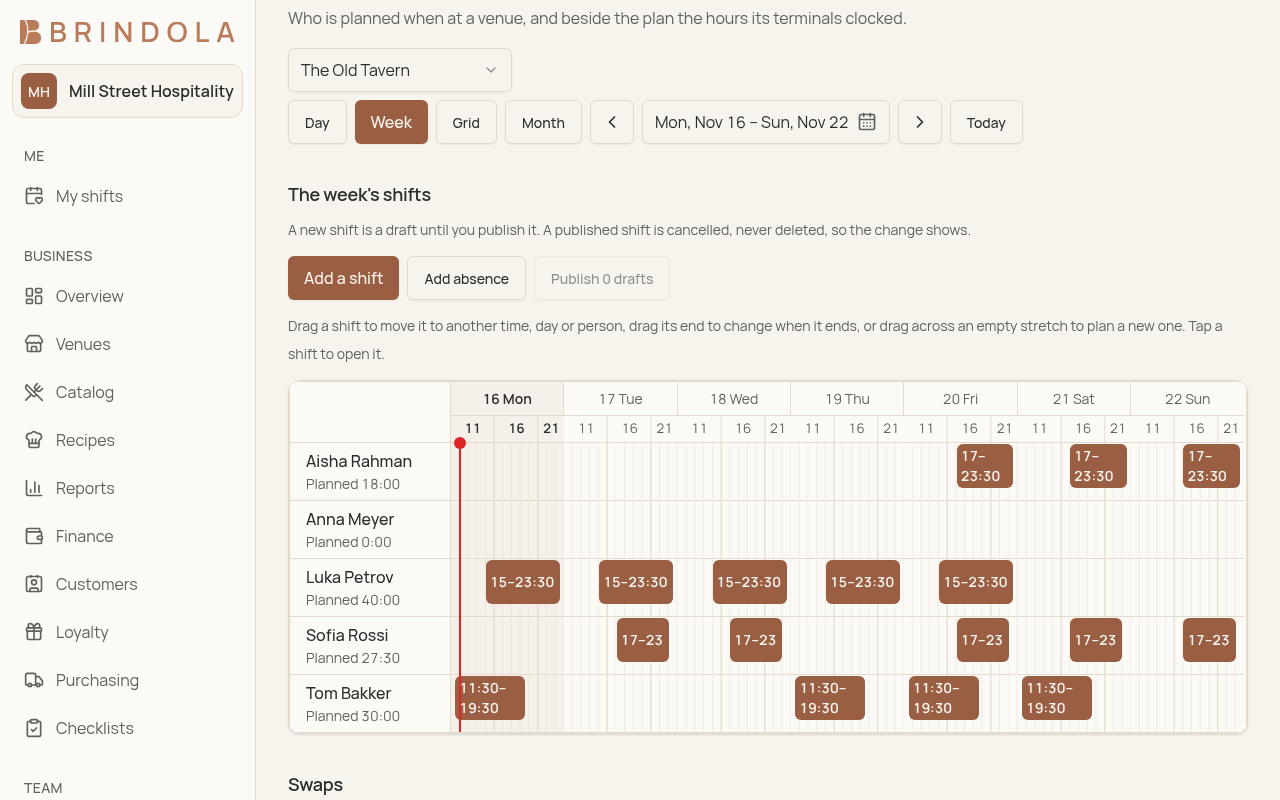
Plan a week per venue, repeat shifts, publish the rota. When you switch it on, the time clock's hours come up from the terminals and sit beside what was planned, lateness included.
Leave and approved hours
Staff request leave and a manager decides it. Managers approve each venue's hours for a period; a later correction at a terminal is shown beside the approved figure, never written over it.
Every employee on their phone
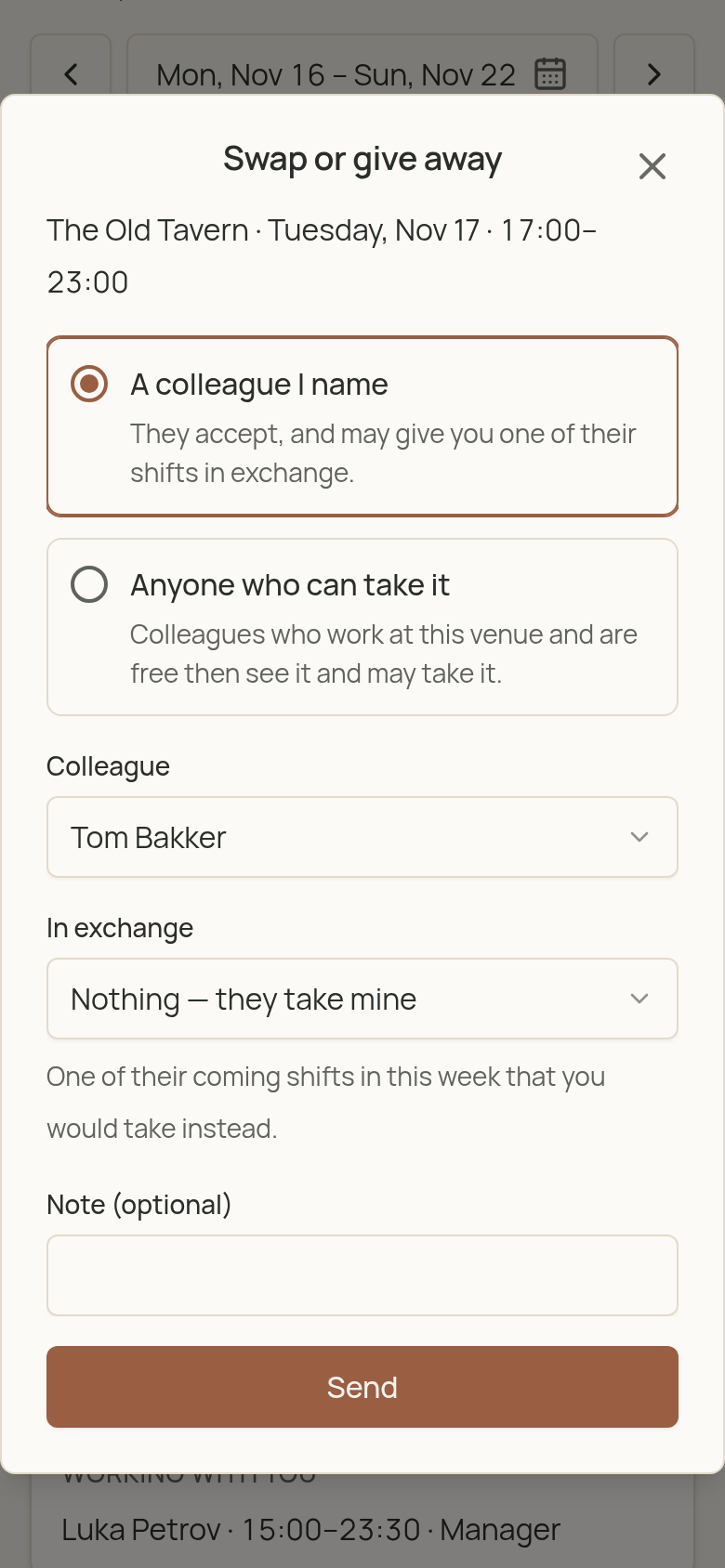
Staff sign in with a code sent by email to see their own rota across venues, their hours and their payslips, offer a shift to a colleague, and fill in their checklists.
Across venues, in one place
The daily work that belongs above a single venue, read from what every terminal sends up.
Reports across venues
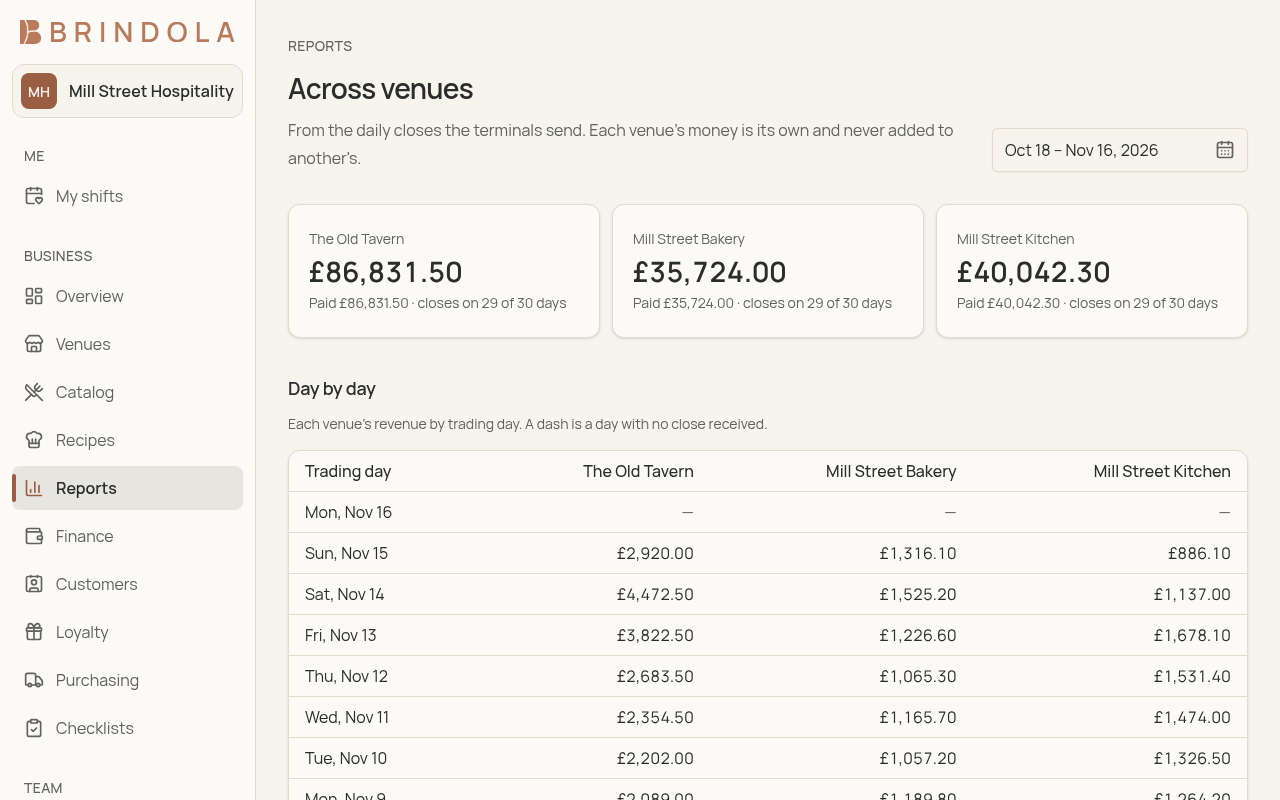
Every venue's days side by side, and a profit and loss per venue, per company and for the whole group, built from the daily closes and the costs you enter, with months you close.
Customers and loyalty
One customer list and one loyalty program for every venue. Points and stamps earned at one venue are spent at another, duplicates are merged here, and guests keep earning while a venue is offline.
Purchasing and supplier invoices
Venues send purchase requests; you approve them into orders, the venue receives the goods, and receipts come back. Supplier invoices, payments and what is still owed are kept here, with recipes costed and the stock value at month end.
Checklists and logs
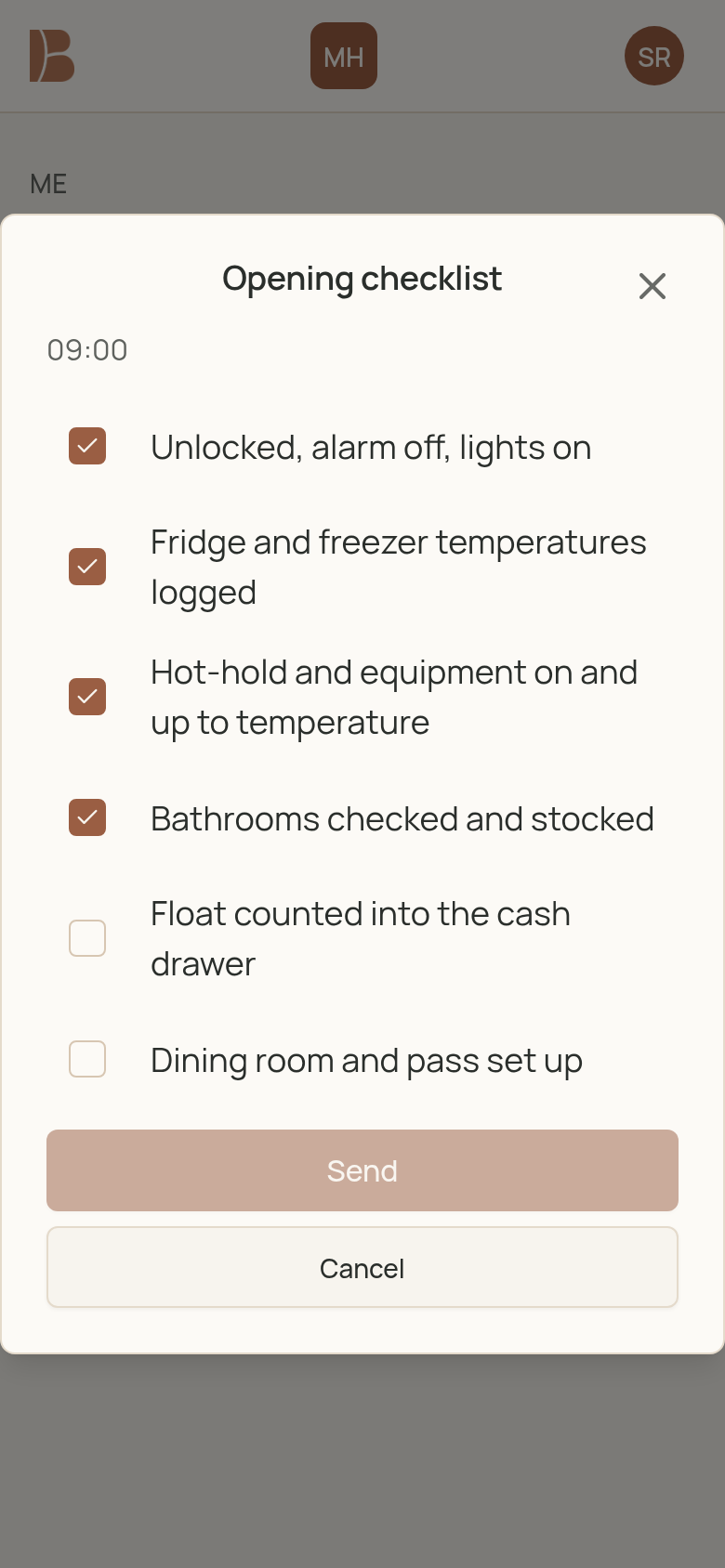
Opening checks, temperature logs and cleaning sheets from a library, filled on a phone, with what is due and overdue each day, a printable record for an inspector and a blank sheet for paper.
Payroll and tax for your country
Country rules come as a module, switched on by the country of each company in your group. Georgia's is the first.
Payroll and payslips
A month's payroll per company from approved hours and approved leave, with Georgian income tax and pension, payslips for each person, and salary files for TBC Bank and Bank of Georgia.
The Revenue Service, read for you
Received tax invoices and inbound waybills read from the Revenue Service and matched to your supplier invoices, a check on any counterparty, and the figures for your VAT return.
Your own tools, connected
The backoffice is open to the software your group already uses.
An organisation API
Read and write people and their HR file, and read your venues, with keys you create and revoke. A change feed lets a departure reach every other system you run.
One sign-in for your tools
Your own tools can sign staff in through the backoffice with OpenID Connect, so a person made inactive can no longer sign in to any of them.
The rota where people look
Your own signage or staff app can read each venue's published rota through the same API.
How your terminals connect
Each venue's main device pairs with the backoffice once, through the protocol Brindola publishes, and every terminal in the venue shares that connection. Nothing on the ordering, kitchen or payment path waits for it. When the internet drops, the venue keeps trading and everything waiting to go up is sent when the line returns. Payments and the detail of each ticket stay in the venue; what goes up is the day's close and only what you switch on.
| What | Which way | When it moves |
|---|---|---|
| Catalog, prices, staff and venue settings | From the backoffice to the venue | Each time you publish, picked up on the terminal's next sync |
| The daily close | From the venue to the backoffice | When the day closes, retried until it arrives |
| Customers and loyalty | Both ways | When you share customers across venues |
| Purchase requests and receipts | Both ways | When you use central purchasing |
| Hours and tips per day from the time clock | From the venue to the backoffice | When you switch it on for a venue |
Scroll sideways to see all columns
How you get it
Brindola Backoffice is available now. Tell us about your group and your venues, and we switch it on with you, starting with a pilot venue. We host it for you, added to each venue's plan per connected venue, or run it on your own servers under an Enterprise contract. If your group already runs a backoffice of its own, it can connect your terminals through the same protocol instead.
Questions about the backoffice
Does a single venue need a backoffice?
No. A single venue builds its catalog on the terminal and keeps its own reports. The backoffice is for a group that wants one catalog, one staff list and shared customers across several venues, and a venue can join one later without losing anything it built.
What happens when the internet goes down?
The venue keeps selling, cooking and taking payments. New customers, points and the day's close wait on the main device and are sent when the connection returns. A guest can still spend points offline, against the last balance the venue received and up to a limit you set.
Where are our sales records kept?
In each venue, on its own equipment. Payments never go up. The backoffice receives each day's close and only what you switch on for a venue; when venues share customers, a summary of what each customer ordered goes with them.
What does it cost?
Hosted by us, it is an add-on priced per connected venue a month, on top of each venue's plan, with no revenue share; the pricing page shows the price where you are. On your own servers, it is part of an Enterprise contract.
Can we use our own backoffice instead?
Yes. Brindola's terminals speak a published protocol, and any backoffice that implements it and passes its conformance suite connects the same way Brindola Backoffice does.
Setting up, or looking for how a screen works? The documentation walks through every one. Documentation
Talk to us about your group
Tell us how many venues you run and how you work today, and we will set up Brindola Backoffice with you, starting with a pilot venue.