
Reservations and appointments
Dieser Inhalt ist noch nicht in deiner Sprache verfügbar.
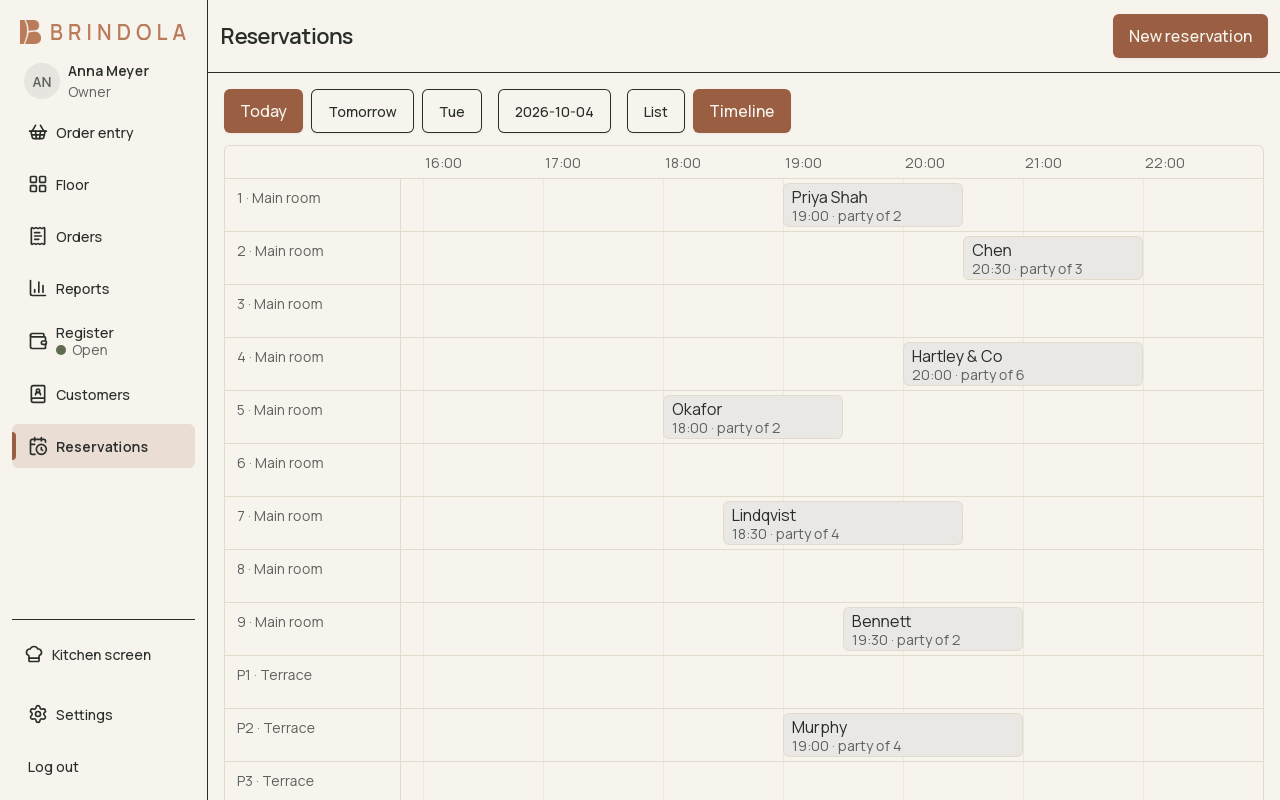
Bookings against the resources they claim and the selected calendar date.
Enable Reservations when the venue takes bookings. A booking can claim a table, a staff member or several resources for a period of time. It can also be recorded before a resource has been chosen.
Take a booking
Section titled “Take a booking”- Select the calendar date and time in the venue’s time zone.
- Enter the party name and a way to contact them when needed.
- Set the duration and party size where applicable.
- Choose tables or staff resources and review overlap warnings.
- Add the operational note and save.
Use the list to find a party and the timeline to see which resources are already claimed. A booking is a calendar appointment; it does not move to yesterday because the venue’s business date has not rolled over.
When the party arrives
Section titled “When the party arrives”Open the booking and use the seating action to create its order. The booking already carries the information staff collected. Check the linked order before adding items.
- Booked
- Seated with an order
- Order settled
- Completed
Changes and missed visits
Section titled “Changes and missed visits”Edit the time or resources and review conflicts again. Mark a cancellation when the guest tells you they will not come; use no-show when they did not arrive. These describe different outcomes.
A completed linked order completes the visit. Use manual completion for the supported case where a booking did not become an order. Recording deposit information is not itself collecting a payment; reconcile any deposit through the venue’s payment process.
Floor-plan use
Section titled “Floor-plan use”Table reservations can appear on the floor plan. Check upcoming claims before seating walk-ins. The floor feature itself needs Plus or Enterprise.