
Delivery order intake
Dieser Inhalt ist noch nicht in deiner Sprache verfügbar.
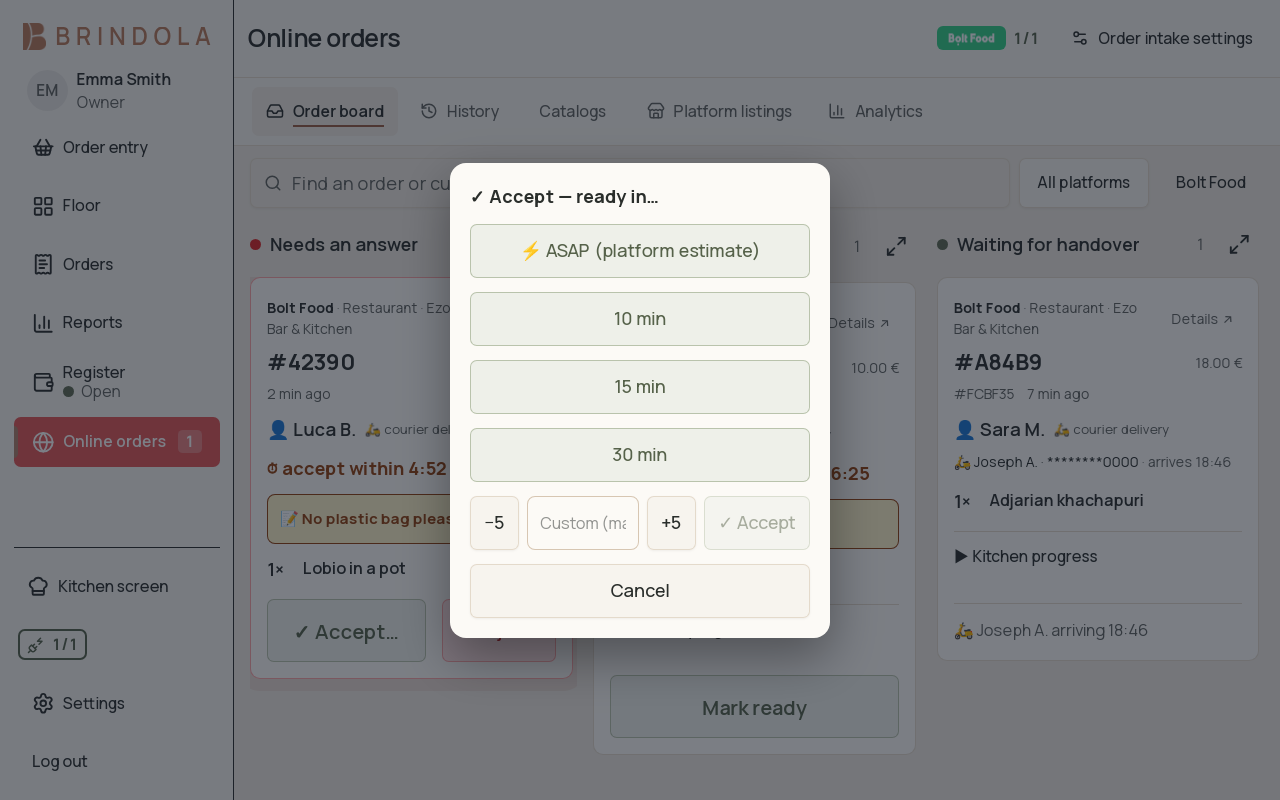
A test platform order with its deadline and preparation-time choice.
Delivery intake connects supported platforms through Brindola’s order bridge. Enable the add-on, connect the platform venue and review its mapping before accepting live orders.
Prepare the connection
Section titled “Prepare the connection”Confirm the platform account and venue refer to the correct location. Map its catalog to the products you intend to prepare and sell. Check order acceptance settings, preparation times, hours and the handling of platform payments.
Handle an incoming order
Section titled “Handle an incoming order”- Open the inbox and read the platform, customer instructions and acceptance deadline.
- Review the items and choose the preparation time when offered.
- Accept or reject within the platform’s deadline. Auto-accept follows the configured policy.
- Prepare the accepted order using the ordinary kitchen flow.
- Mark the appropriate handover state and check the order’s final status.
- Platform sends order
- Review and accept
- Kitchen prepares
- Hand over
- Reconcile with the day
A cancellation changes the associated order and kitchen ticket. Read that change before continuing preparation. A platform-paid order should not be collected again at the terminal.
Publish catalog and stock
Section titled “Publish catalog and stock”Review the proposed menu, availability and numeric stock before publishing. A restaurant menu and a store catalog may use different platform rules. Check completion details and any rejected items after publication, then verify the customer-facing listing when a change matters to orderability.
If the platform rejects a row, correct the reported field rather than repeatedly sending the same data. Keep the platform venue, item SKU and response together for support.
Connection trouble
Section titled “Connection trouble”The venue’s local orders can continue when internet access fails, but new platform orders and publication require the external connection. A saved credential or published catalog is not proof that the storefront is currently accepting orders.
Country availability
Section titled “Country availability”See Georgia, Estonia, Luxembourg, Malta and Cyprus for their listed platforms. The UK and UAE guides explain their current connection scope.