
Settings
هذا المحتوى غير متوفر بلغتك بعد.
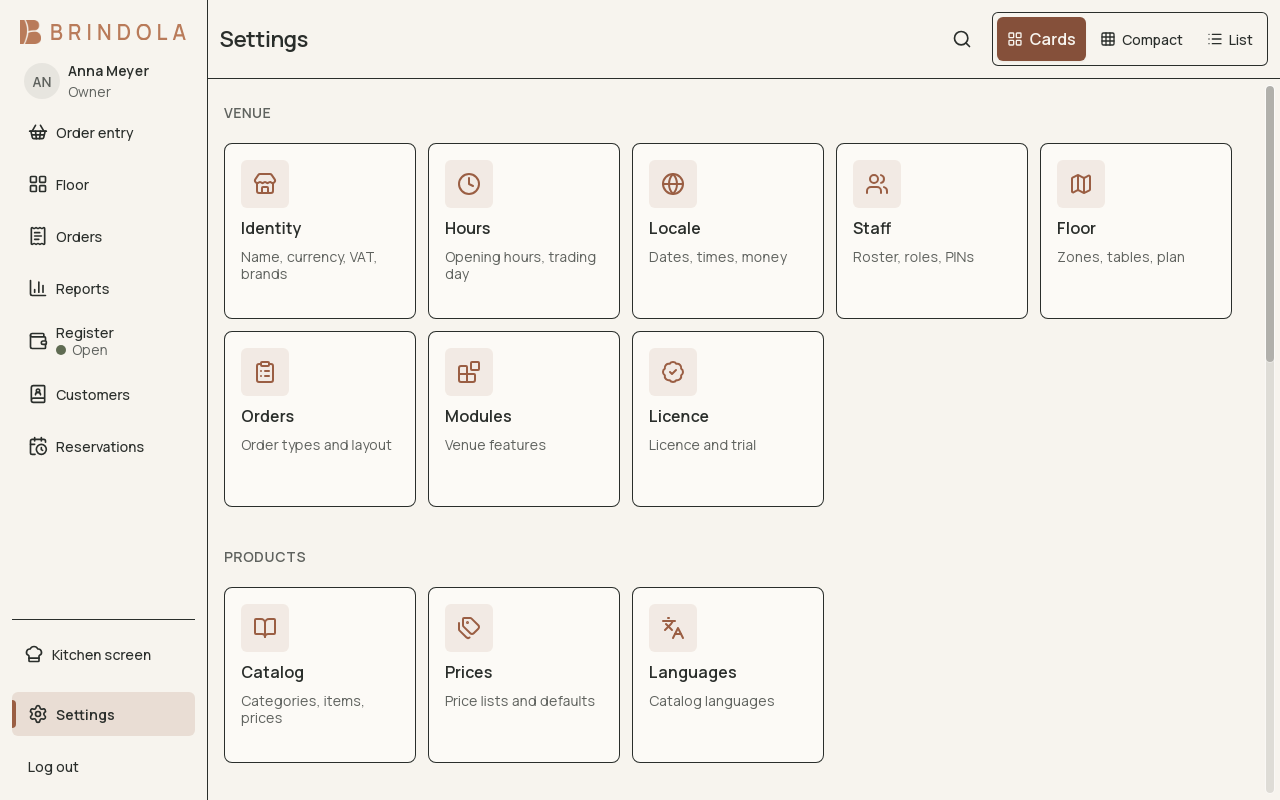
The settings sections and search entry point.
Settings describes the venue and controls which features it uses. The options you can change depend on your role, plan, device and country.
Find the right setting
Section titled “Find the right setting”Use Settings search when you know the thing you want to change, such as a printer, language or receipt. Read the section name before saving: some changes affect everyone in the venue, while others belong to the current device or operator.
| Area | What to review |
|---|---|
| Identity | Trading and legal names, address, country, currency and tax identity |
| Hours | Opening times and business-day rollover |
| Catalog and preparation | Product shape, order types, stations and routing |
| Staff and roles | Sign-in, permissions and approvals |
| Connections | Devices, cameras, backoffice, delivery and AI assistants |
| License | Current access, expiry and installation or renewal |
| Preferences and About | Display choices, language and installed version |
Enable a module
Section titled “Enable a module”Open its card and read what it adds and requires. Switch it on, complete the configuration and test a representative task. Enabling a connection does not configure the external account for you.
If a module is missing, check plan access, country and permissions. Switching a module off removes its working surfaces; it does not serve as a way to erase historical records.
Change venue foundations carefully
Section titled “Change venue foundations carefully”Country determines the applicable country modules. Currency changes do not automatically convert old prices by an exchange rate. Time zone and rollover determine the service date used for new work. Read the confirmation describing the specific change and make foundational changes between services.
Keep changes understandable
Section titled “Keep changes understandable”Test with the role and device that will use the setting. If a control is centrally managed, change it through the owning backoffice. Check a printed receipt or real order when the change affects one; a saved settings form alone does not prove the workflow.