
Backups and recovery
This content is not available in your language yet.
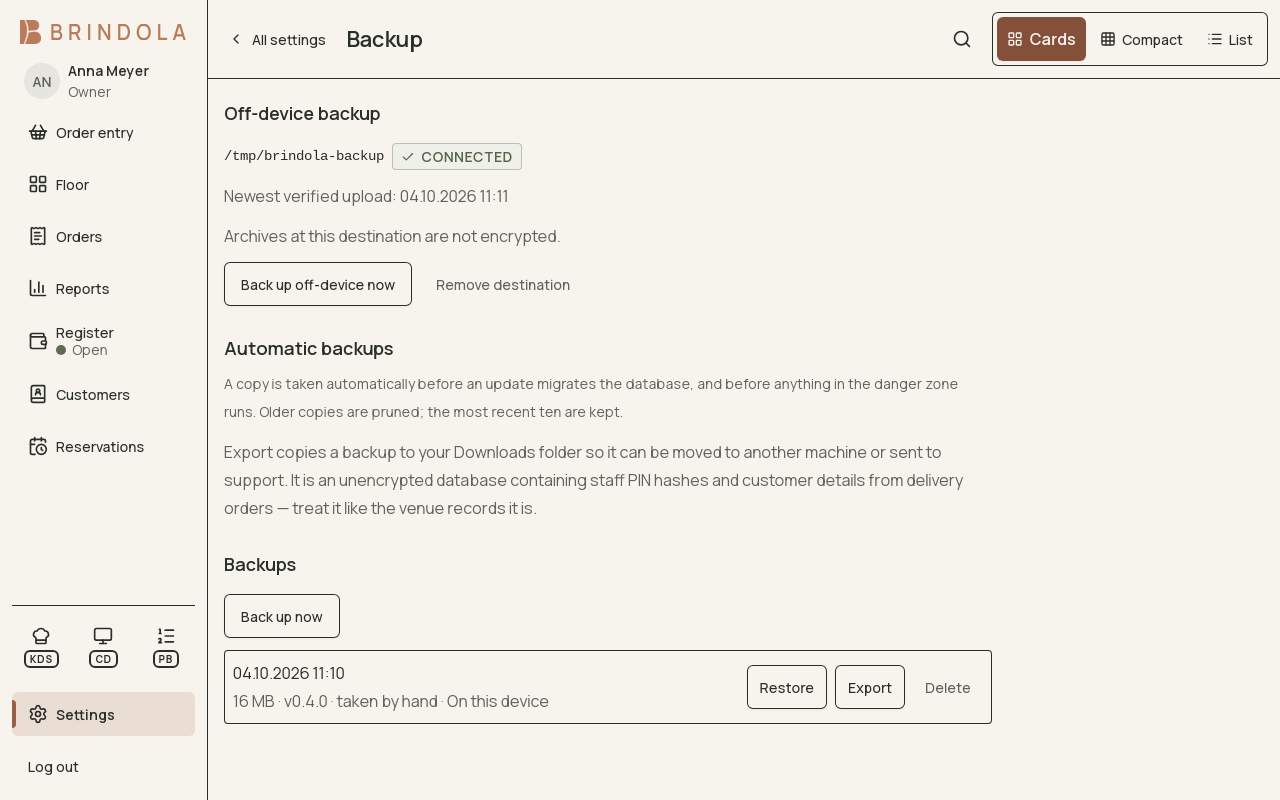
The off-device destination with its newest verified upload, above the backups kept on this device.
The main device holds the detailed venue records. Backoffice sync sends aggregate closes and does not replace a backup of those records.
Review backup settings
Section titled “Review backup settings”Open Backup settings on the main device. Check the latest snapshot, the configured destination and whether off-device archives have reached it. A destination on the same physical disk does not protect against losing that disk.
For encrypted off-device backups, store the recovery passphrase somewhere authorised staff can reach when the computer is unavailable. Keep it separate from the machine being protected.
Check the backup actually exists
Section titled “Check the backup actually exists”- Check the latest successful backup and its date.
- Confirm the archive reached the intended destination, not just a waiting local queue.
- Verify who can access the destination and recover the passphrase.
- Arrange a restore rehearsal on an isolated test machine with support when needed.
- Create consistent snapshot
- Encrypt off-device archive
- Confirm destination copy
- Rehearse recovery
Restore with care
Section titled “Restore with care”Stop trading before replacing the main database. Preserve the current data first, then choose the intended snapshot using the supported restore controls. Read the warning: work performed after that snapshot may be absent from the restored venue.
After restoration, verify the venue identity, latest orders, register state, photos, printers, licence and external connections. Secrets excluded from an archive may need entering again. Check paired devices before resuming shared work.
A replacement main computer
Section titled “A replacement main computer”A new-machine recovery needs both the backup and a way to unlock it. Confirm the recovery path supported by your installed version before moving the venue. Contact support with the version and archive details if the first-run screen does not offer the required import; do not experiment on your only copy.
Retention
Section titled “Retention”Agree the period and destination with the person responsible for the venue’s records. Keep the official records and exports required for your country, even when a short report range is all staff usually need on screen.