
Plans and feature badges
This content is not available in your language yet.
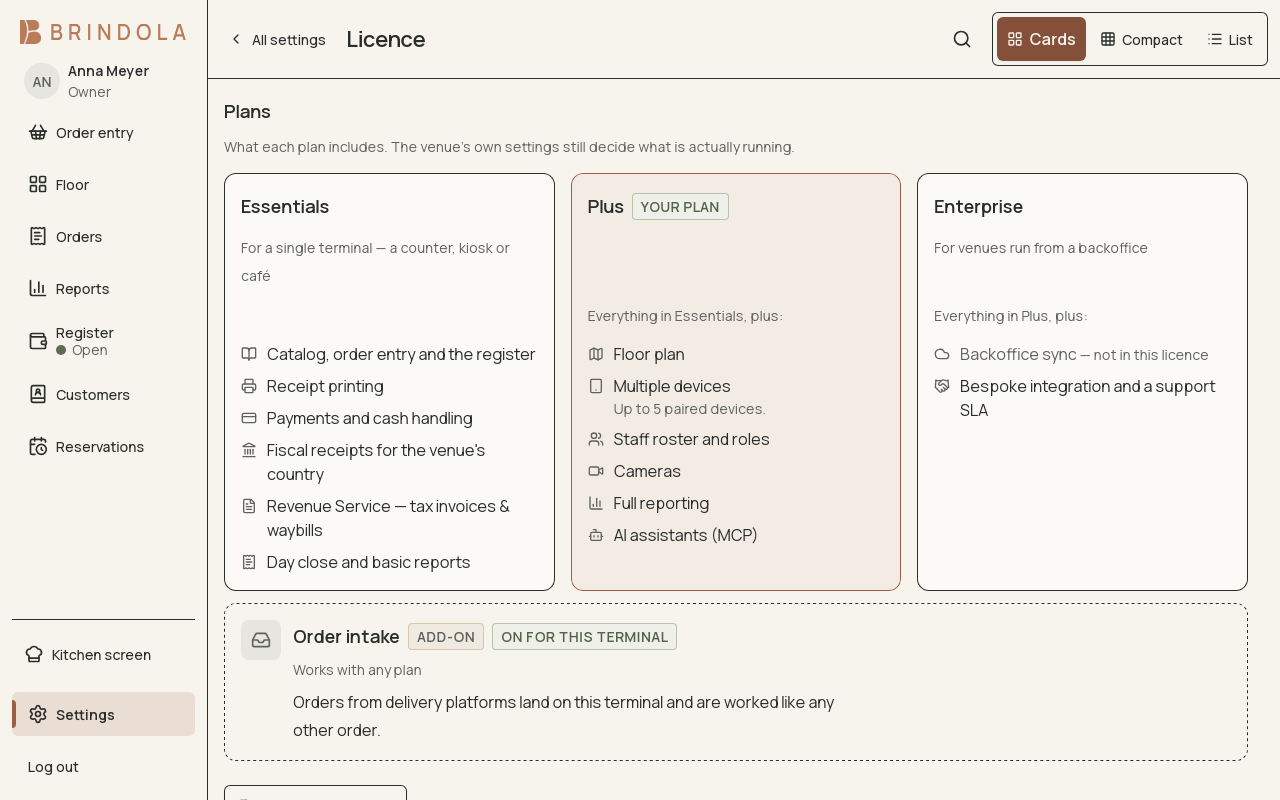
What each plan includes, with this venue's plan marked and the order-intake add-on beside them.
Badges describe the minimum plan for the feature being explained. Higher plans include the lower plan’s features. A badge does not tell you whether your venue has switched the module on or whether its external service has been configured.
| Badge | What it means |
|---|---|
| All plans | Core operation available with Essentials, Plus and Enterprise |
| Plus + Enterprise | A feature included with Plus and Enterprise |
| Enterprise | Backoffice integration |
| Order intake add-on | Delivery-platform intake, added separately to any plan |
What the plans cover
Section titled “What the plans cover”Essentials covers the catalog, order entry, register, receipts, payments, cash handling, the fiscal path for your market (device drivers as they ship), B2B documents where the market has them (RS.ge tax invoices and waybills in Georgia), standalone operation and the basic day close.
Plus adds the floor plan, paired devices, the expanded staff offering, cameras, full reporting and AI assistants over MCP. Device and staff limits follow the venue’s licence. A kitchen display on a separate device needs multi-device access even when preparation on the main device does not.
Enterprise includes Plus, backoffice sync and integration work agreed for the venue.
Order intake connects delivery platforms as a separate add-on. It is not automatically included with Plus or Enterprise. Country and platform availability still apply.
The fourteen-day trial includes the Plus feature set. Backoffice sync, B2B documents and delivery intake are outside that trial set.
Check your venue
Section titled “Check your venue”Open Settings → Licence to see the current state, expiry and included modules. If a screen is missing, check both the licence and the module’s switch in Settings. Also check the signed-in person’s permissions and the venue country.
Use the pricing page for commercial terms and regional prices. This handbook describes how the features work; your installed licence records the venue’s actual access.
Renewal and a lapsed licence
Section titled “Renewal and a lapsed licence”Use the renewal and installation options on the License page. Plan changes do not require recreating the venue. A lapsed licence preserves access to existing records and the ability to finish work already in progress; restrictions on starting new orders take effect at the business-day boundary after the applicable grace period. Resolve renewal before the next service.