
Guests and companies
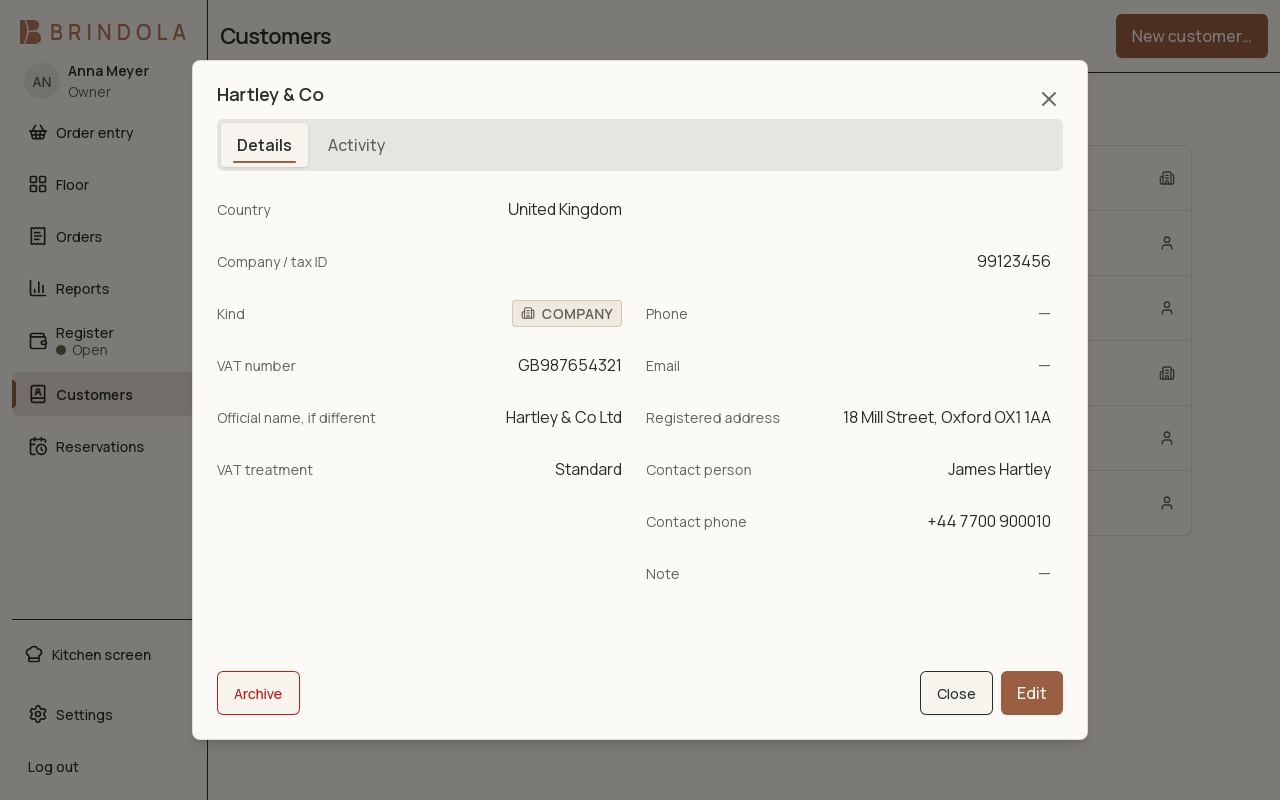
A fictional company with its legal name, company number, VAT number and contact.
Use the customer registry for returning guests and companies that need documents in their legal name. A walk-in sale does not require creating a customer.
Create or find a customer
Section titled “Create or find a customer”- Search by name, phone or identifier before adding a new record.
- Choose individual or company and enter the display name.
- For a company, complete the legal name, address and tax identifier required for its documents.
- Confirm the country attached to the identifier and save.
- Attach the customer to the order and review the identity on the receipt or document preview.
A phone can be stored in a readable format and found by its digits. Check the matching person before using a shared business number.
Identifier checks
Section titled “Identifier checks”Format validation catches an identifier that does not follow its country’s rules. It does not establish that a business exists or is currently VAT registered. A supported authority lookup is a separate operation; confirm its returned details before accepting them.
For Georgia’s tax invoices and waybills, see RS.ge documents.
Groups and history
Section titled “Groups and history”Use customer groups for membership and reporting where configured. Check that you are changing the customer’s intended group rather than creating a duplicate person with another label.
Open the customer’s history to investigate earlier orders. Correct a past transaction through its order workflow; editing today’s customer details does not rewrite every historic document.
Stop using a record
Section titled “Stop using a record”Archive a duplicate or inactive customer instead of deleting history. Preserve the record needed to understand its orders. Only collect the details the venue needs and limit access through staff permissions.