
Payments and receipts
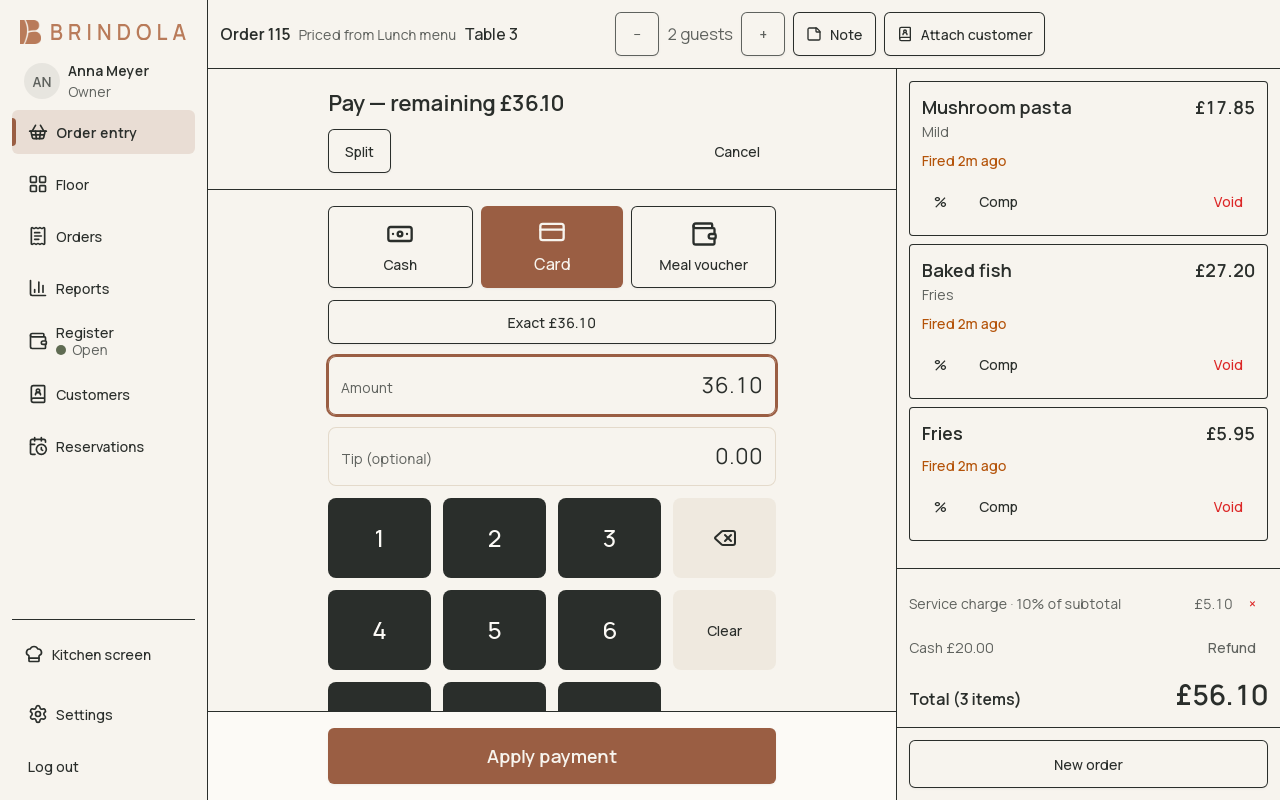
A split payment showing the amount still due and the selected payment option.
Open payment from the order you are settling. Check the items, discounts, charges, customer and remaining balance before recording money received.
Take payment
Section titled “Take payment”- Choose the payment option that matches what the customer uses.
- For cash, enter the amount received and check the change.
- For a standalone card terminal, obtain approval on the terminal before recording the card payment. An integrated terminal follows its configured driver.
- Review any tip or payment surcharge and confirm the amount.
- Finish the payment and print or send the receipt using the available options.
Split a bill
Section titled “Split a bill”Use the split controls to allocate the appropriate items or amount to each payment. After each part, check the remaining balance. A partially paid order stays open until that balance has been resolved.
Mixed cash and card payments must each use their own option so the close can reconcile them. A tip and the sale amount are different records; enter each in the place provided.
Charges and rounding
Section titled “Charges and rounding”Service charges, covers, automatic discounts and payment-option surcharges can change the payable total. Read the final bill, including those lines, before asking the guest to pay. Cash rounding follows the venue’s configured rule; card payments do not use cash rounding.
A card result is uncertain
Section titled “A card result is uncertain”Check the terminal or provider’s transaction result before trying again. For card payments while the venue’s internet is down, see When the internet goes down. A timeout does not prove that the customer was not charged. Keep the order and the terminal reference together while resolving the result. See Troubleshooting.
Receipts and fiscal setup
Section titled “Receipts and fiscal setup”A receipt printer and a fiscal device serve different purposes. Configure the correct country setup before service. Reprinting a receipt is not a second payment. Use Refunds and corrections to reverse an actual transaction.
| Country guidance | What differs |
|---|---|
| Georgia | The venue issues its fiscal receipt on its own device, beside Brindola |
| United Kingdom | Tax treatment by what is sold and how |
| United Arab Emirates | Receipt identity and tax invoice details |
| Estonia | Current rates and invoice records |
| Luxembourg | Local tax categories and invoice identity |
| Malta | Fiscal receipt arrangements |
| Cyprus | Legal receipts and tax invoices |