
Reports and service performance
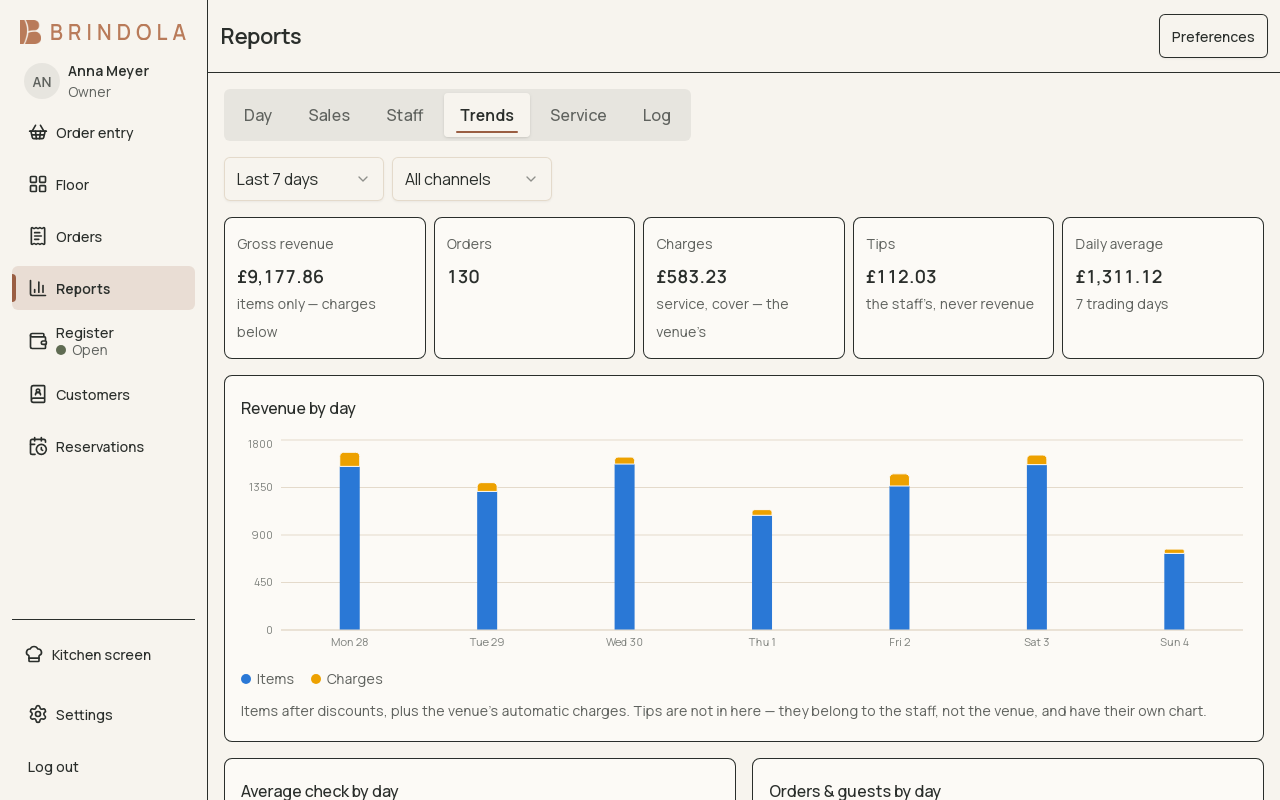
A selected date range and the filters that explain the chart.
Reports use the data held by the venue. Select the date range and scope before interpreting a total. The basic register close is available on every plan; this guide covers full reporting.
Start with the question
Section titled “Start with the question”| Question | Useful view or filter |
|---|---|
| How did this service trade? | Day summary and hourly pattern |
| Which items sold? | Product analysis, section and date range |
| Which brand or channel contributed? | Brand and channel filters |
| Where are losses coming from? | Voids, discounts and approval attribution |
| How long did preparation take? | Station service-time percentiles |
| How was the dining room used? | Table turns and occupancy |
Read a report
Section titled “Read a report”- Choose the business date or range you intend to review.
- Check every active filter, including brand, channel, section and daypart.
- Read the metric label and units before comparing values.
- Open the available detail to inspect the orders or items behind an unexpected result.
- Export or print the relevant view if the screen offers it, preserving its dates and filters for the recipient.
Revenue and cash differ
Section titled “Revenue and cash differ”An order remains attached to its business date. Money collected after the day rolls over belongs to the register session that collected it. A report of sales and a report of today’s cash can therefore differ without either being wrong. See Register close.
Service-time figures
Section titled “Service-time figures”Percentiles describe the distribution of waits. Read which station and event pair a timing measures; a kitchen preparation time is not automatically a guest’s total visit. Missing data should not be read as a zero-minute service.
If a total is surprising
Section titled “If a total is surprising”Clear filters, confirm the business-date range and check open or corrected orders. Full detail remains local, so a backoffice’s aggregate close is a different view from the venue’s detailed order history.