
Stock and deliveries
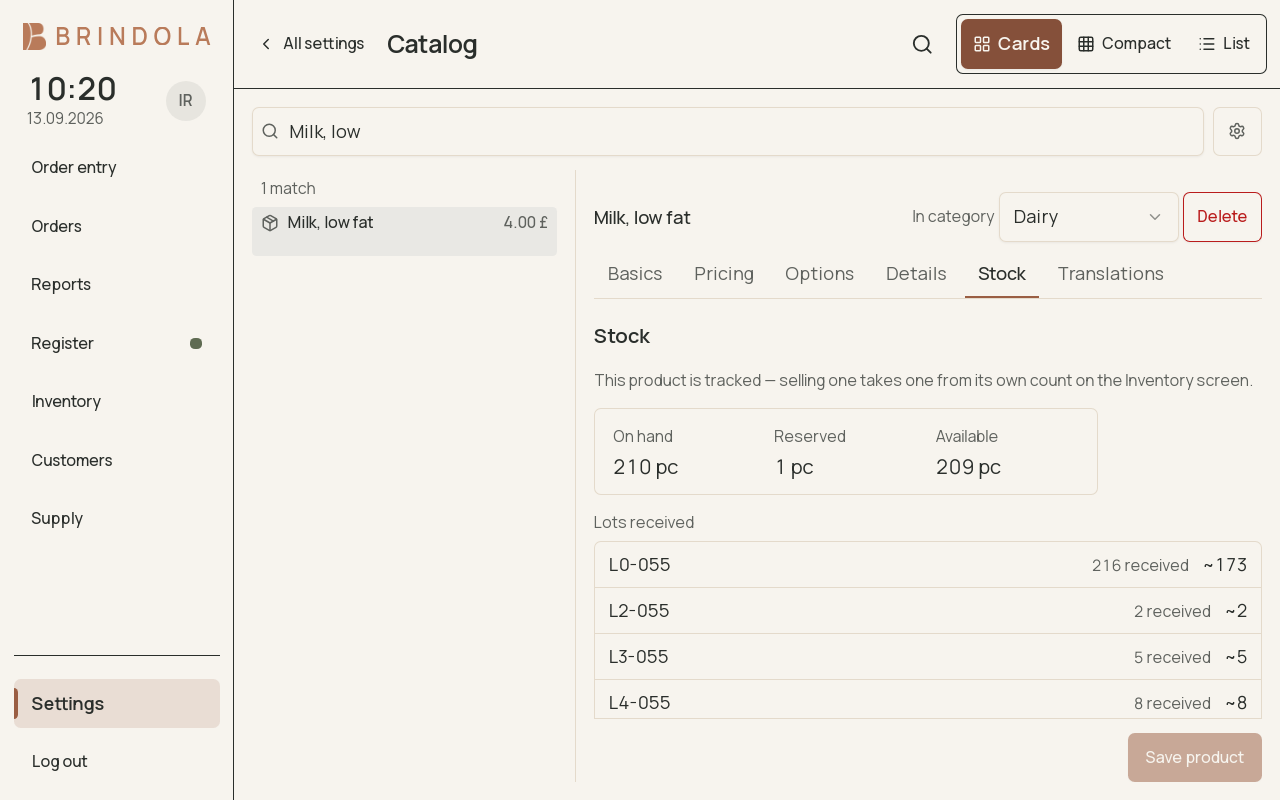
A tracked item with its current balance and recorded movements.
Inventory connects what arrives, what is sold and what remains. An open order reserves tracked stock; settlement depletes it, and a reopen reverses the corresponding movement.
Receive a delivery
Section titled “Receive a delivery”- Open the receiving flow and identify the supplier or delivery where available.
- Add the products received and enter quantities in their stated units.
- Check packs against singles and enter lot or serial information where the product uses it.
- Review and post the delivery.
- Open an item’s Stock tab to check its balance and movement history.
Receiving can start tracking an item. Check the unit before posting: ten packs and ten pieces describe different stock.
Run a stocktake
Section titled “Run a stocktake”Count the selected items and enter the quantities actually found. Leave a line blank if it was not counted. Enter zero only when you checked and found none. Review the scope and differences before posting the count.
- Receive stock
- Reserve on open orders
- Deplete on settlement
- Count and record differences
Record a loss or correction
Section titled “Record a loss or correction”Choose the movement’s cause, such as waste, breakage, theft, expiry or correction. Add the context the next person will need. A named reason makes a later review more useful than silently replacing a balance.
Read the numbers
Section titled “Read the numbers”On-hand and available quantities answer different questions because open orders may already reserve units. Review reservations and recent movements before deciding the balance is wrong. For packs, check the conversion to the stock unit.
Delivery-platform stock
Section titled “Delivery-platform stock”Platform publication is a separate step. Review the products and stock being sent, then check the platform’s response. A successfully published menu does not by itself prove stock updates were accepted. See Delivery intake.
Order from a supplier
Section titled “Order from a supplier”Use Purchasing to create a supplier order and receive deliveries against its outstanding quantities. Receiving through Purchasing updates the same Inventory records; do not enter that delivery a second time here.